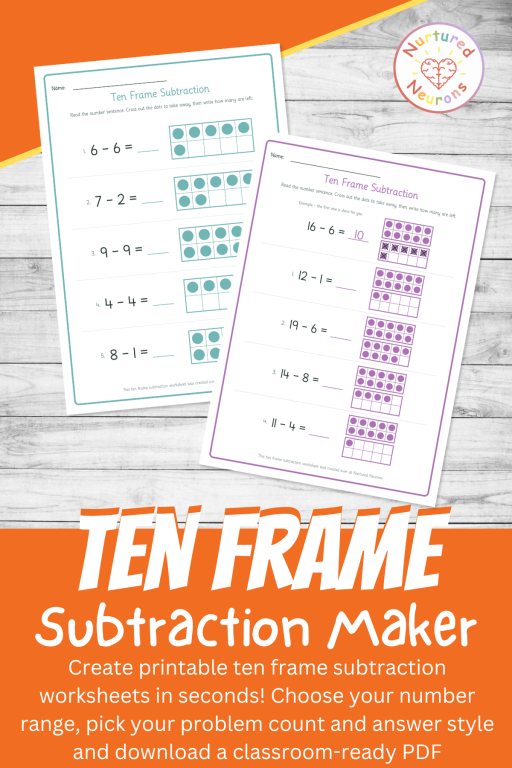
About the Ten Frame Subtraction Worksheet Maker
Say hello to the Ten Frame Subtraction Worksheet Maker – the quickest way to whip up custom, printable ten frame subtraction worksheets for your little learners!
Each problem gives your little learners a number sentence and a ten frame with the starting number already dotted in for them. They cross out the dots being taken away, count what’s left, and write the answer on the line. It’s simple and visual way to learn subtraction in Kindergarten and First Grade.
It’s one of the teacher tools included with your Nurtured Neurons membership, so it’s ready to use any time you need fresh ten frame subtraction practice in a flash.
What Are Ten Frames?
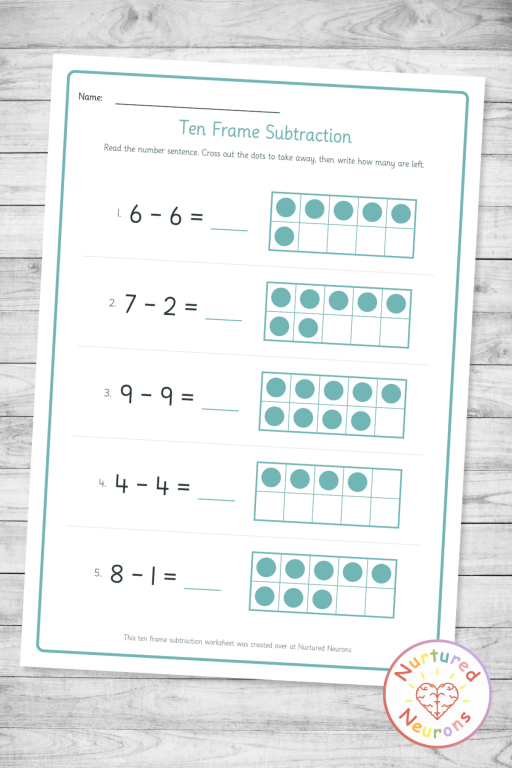
A ten frame is very useful in early math – and it’s very simple. It’s basically a rectangular grid made of two rows of five boxes – making ten boxes in total.
Children fill the boxes with dots (or counters with a hands-on version) to show a number. Three dots means three, a full top row means five, and a completely filled frame equals ten.
This neat grid layout helps children “see” a number instead of needing to count every single dot, which builds a skill called subitizing – recognizing how many at a glance, without counting one by one.
It also makes the friendly benchmark numbers of 5 and 10 clearly visible, so kids start to understand that 8 is “5 and 3 more” or “2 away from 10.”
When the answer goes above ten, we can use a double ten frame – two stacked frames giving twenty boxes in all.
And you can keep on adding ten frames in this way as the numbers get bigger!
How Do Ten Frames Help With Subtraction?
Ten frames make subtraction visible through the cross-out method:
- The frame starts filled with the first number in the sentence.
- Your little learner crosses out the number being taken away, starting from the last dot and working backward.
- They count the dots that are left, and that’s the answer!
The Parts of a Subtraction Sentence
Here’s some of the terms used:
- The minuend is the number you start with – the dots already in the frame.
- The subtrahend is the number you take away – the dots you cross out.
- The difference is what’s left over – the answer on the line.
So in 8 – 3 = 5, the 8 is the minuend, the 3 is the subtrahend, and the 5 is the difference. Your little learners definitely don’t need to know these words to use the worksheets, but now you do!
Why This Tool Is Awesome
There’s a few reasons why I like this worksheet generator and I think you will too:
You get the right challenge every time. A child who is just starting out can work within 5, while a confident learner can stretch to within 20.
It never runs out of fresh practice. The numbers are randomized with every click, so you can print a new page for every day of the week (or every child in the group).
Double ten frames. Pick a range above 10 and the tool switches to double ten frames on its own, so bigger numbers still fit neatly on the page.
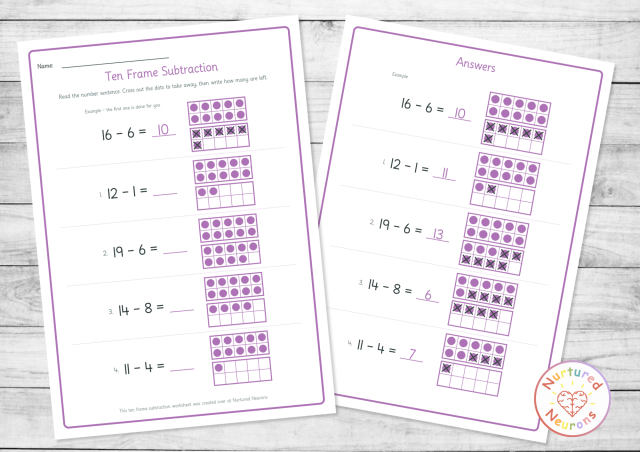
It can show the way first. Switch on the worked example and the first problem comes already solved, with the dots crossed out and the answer filled in.
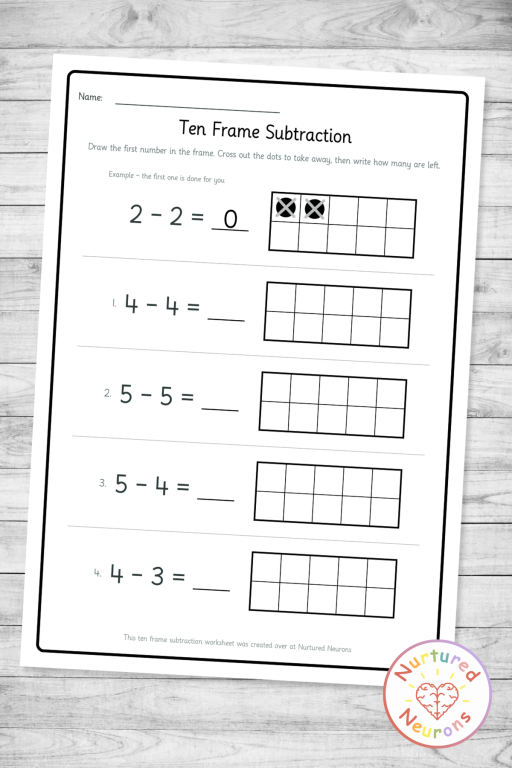
There’s a step up when they’re ready. The “draw your own” mode leaves the frames empty, so children draw the starting number themselves before crossing out. That’s great for learners who’ve mastered the basics.
Grading takes seconds. Every worksheet has a matching answer sheet with the dots crossed out and the answers highlighted, so checking work is quick and painless.
It looks the way you want. Add your own title, choose your accent color, edit the instructions, and flip to black-and-white mode when the color ink is running low.
Ways to Use It in Your Classroom (and at Home!)
Here’s a few ideas of how you could use it:
- Morning work or a math warm-up. A quick five-problem page is a perfect way to get little brains ticking over before the main lesson.
- Introducing subtraction. Turn on the worked example and walk through it together on the board or one-to-one before children try the rest on their own.
- Differentiation in a flash. Print a “within 5” page for learners who need a gentler start and a “within 20” page for those ready for more.
- Hands-on practice with counters. Have children place real counters, cubes, or mini erasers on the printed frames and physically take some away before recording their answer.
- Taking-away-from-ten drills. Use the “From 10” option for focused practice on the facts that make mental math so much easier later on.
- Math centers and small groups. Leave a stack at a station with some crayons for low-prep independent practice.
- Homework and home practice.
- Quick check-ins. Use a fresh page as a low-stakes progress check, and grade it quickly and easily with the answer sheet.
Well, I think that about covers it.
Follow the instructions below to generate your own tens frame subtraction practice sheets!
Working on addition too? The Ten Frame Addition Maker uses the same friendly ten frames, so your little learners can practice both operations with a format they already know. And for more ways to explore how numbers split apart, try the Part-Whole Number Bonds Worksheet Maker and the Fact Family Worksheet Maker.
And if you find it useful, to help get the word out could you please give it a little share or tell someone who you think would find it useful. Thanks!
The 10-frame subtraction practice sheets should look something like this:
Enjoy!