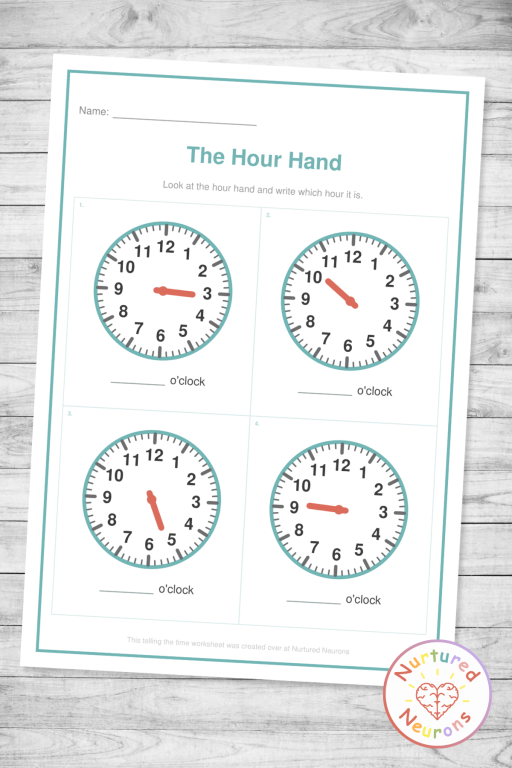
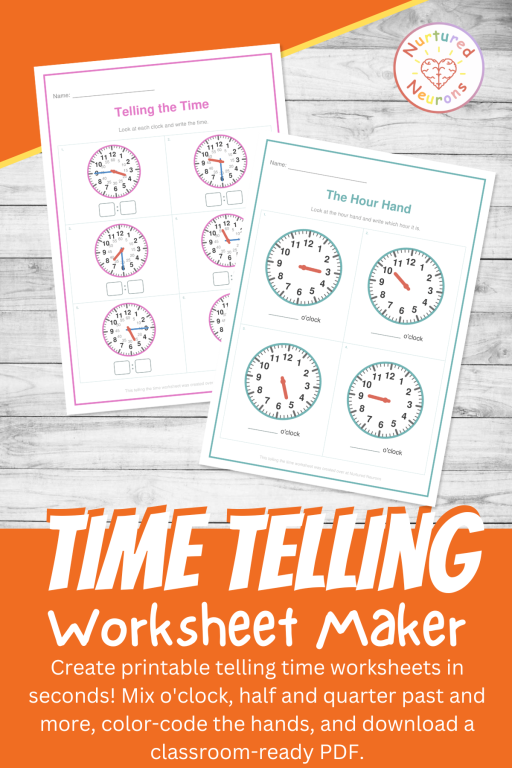
This interactive Telling Time Worksheet Maker creates custom printable clock worksheets with matching answer sheets for Kindergarten through 2nd grade. Choose to write the time or circle the correct time and there's an hour hand only mode. It's a flexible way to build confident analog clock reading skills.
Learning to tell time is an important skill but can take a good while to become good at. This Telling Time Worksheet Maker lets you create custom printable clock worksheets to help practice that skill!
Choose whether you want to write or circle the answer, pick which times to include and download a ready-to-print PDF with a matching answer sheet.
It’s one of the activity makers included with your Nurtured Neurons membership, so it’s ready to use any time you need time telling practice.

It builds real independence. Time runs through every part of a child’s day, from snack time to home time to “five more minutes.” Being able to read the clock themselves helps little ones understand their routine and feel more in control of it.
It strengthens number sense. Reading the minute hand is skip counting in disguise. Every number on the clock face stands for another five minutes, so children who can count by fives have a head start.
Telling time also introduces some early fraction language in a really natural way. “Half past” and “quarter past” give children a concrete feel for halves and quarters of a whole.
It’s a key part of the curriculum. In the Common Core State Standards, first graders learn to tell and write time in hours and half-hours using analog and digital clocks, and second graders move on to telling time to the nearest five minutes. Regular, well-pitched practice makes a huge difference in getting there confidently.
There’s a few reasons why I like this worksheet generator and I think you will too:
The clocks are actually correct. I designed it so that the hour hand moves with the minutes, just like a real clock, so at half past three it sits genuinely halfway between the 3 and the 4. It sounds like a small thing, but lots of printable clocks I’ve seen can get it wrong.
Hour Hand Only Mode. The Hour Hand Only activity gives you clock faces with just the short hour hand. It’s a nice, gentle way to ease into time telling without getting too overwhelming.
Mix and match the times. Want o’clock and half past on the same sheet? We got you covered! Choose any combination of o’clock, half past, quarter past and to, five minutes, and to the minute, and they’ll be mixed across the page.
Clock faces you can tailor. Turn the little five-minute numbers on for extra support, switch to Roman numerals for a challenge, or remove the numbers completely for your clock-reading superstars.
Color-coded hands. Show the hour hand and the minute hand in different colors so they’re easy to tell apart. You can even choose the colors yourself to match the teaching clock you already use in class.
Words or numbers. Children can write the time in digital form, in words, or both.
Answer sheets and multiple pages. Every worksheet comes with a matching answer sheet, and you can create up to five pages at once, each with a different set of times.
Here’s a few ideas of how you could use it:
Morning work. A quick, focused way to start the day. Generate a few pages at once and you’ve got the whole week sorted.
Math centers. Pop a set of sheets into a center alongside a teaching clock so children can check their answers by making each time on the real clock.
Differentiation made easy. Make the same activity at different levels for different groups. One group reads o’clock times with the five-minute numbers on, while another tackles quarter past and quarter to.
Intervention and small groups. The Hour Hand Only activity is perfect for children who are finding time tricky.
Homework and home practice. Send a sheet home and ask families to talk through each time together using a clock in the house.
At home with your little one. Print a page with the times from your own family routine, like breakfast, the school run, or bedtime, and talk about what time they happen and what happens at each one.


Well, I think that about covers it.
Follow the instructions below to generate your own time telling practice sheets!
And if you find it useful, to help get the word out could you please give it a little share or tell someone who you think would find it useful. Thanks!
As with all the activity makers, I really want to make them as useful as possible, so there’s a few options for you to tailor it exactly as you want!
Start by picking one of the three activity types at the top:
The rest of the settings update to match the activity you choose.
For Write the Time and Circle the Correct Time, choose how the times should be written:
If words are involved, a Word Style option appears so you can choose between “half past three” and “three thirty” style wording.
For Hour Hand Only, you’ll see an Hour Hand Answer option instead:
For Write the Time and Circle the Correct Time, pick which kinds of times you’d like on the sheet. You can choose as many as you like and they’ll be mixed across the page:
O’clock is selected by default.
Use the toggles and dropdown to make the clock faces just right for your little learners:
Choose 4, 6, 9, or 12 clocks per page. Fewer clocks means bigger clock faces, which is ideal for younger learners.
Then choose how many pages you’d like, from 1 to 5. Every page gets its own set of times, so you can make a whole week of practice in one go.
Type your own title into the Worksheet Title box, or leave it blank to use “Telling the Time”.
The Instruction Line works the same way. Leave it blank and a sensible instruction to match your activity will be used, which you can see in the box as a hint. Or type your own!
Use the toggles to customize your sheet:
Use the three color pickers to personalize your worksheet:
The hand colors are a great way to match the teaching clock you already use in class.
Click Generate Worksheet! and a list of the times on your sheet will appear below, grouped by page if you’ve made more than one.
Click Download Worksheet to save your printable PDF. If you’ve kept the answer sheet turned on, click Download Answer Sheet to get the matching answers. On Circle the Correct Time sheets, the correct option is shown in bold and underlined so it’s easy to spot, even in black and white.
Hope your little learners have a great time learning to tell time!
Hooray!
The telling the time practice sheets should look something like this:
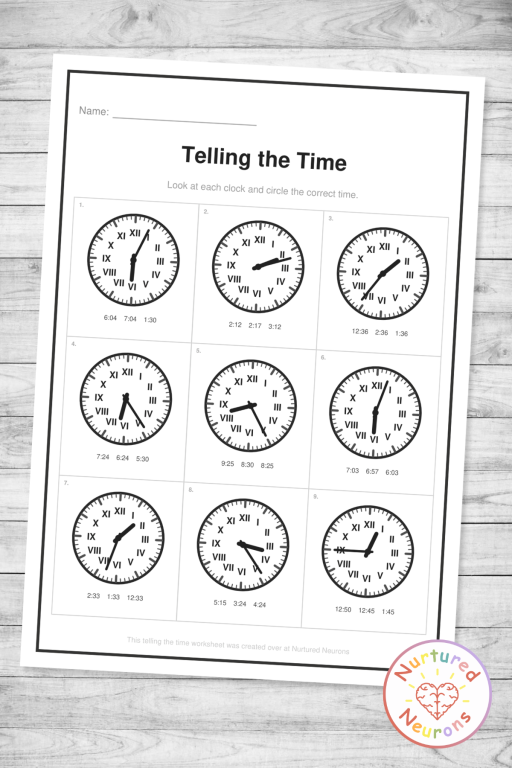


Hope your little learners enjoy improving their math skills – scroll down to get started! Or check out our other worksheet and game makers here.
If you can’t see the worksheet maker – it’s probably because you’re on a mobile device. You can try switching your device to landscape mode or if that doesn’t work, try again on a PC or laptop.
Thanks!
You need to be a member to use this awesome activity maker - become a member today and get access to all of the teaching tools, plus a ready-to-go library of wonderful worksheets, awesome games, hands-on crafts and much more!
Enjoy!


It creates custom printable clock worksheets as a PDF, with a matching answer sheet. You can choose from three activities (Write the Time, Circle the Correct Time, and Hour Hand Only), pick which times to include, set up the clock faces, and create up to five pages at once.
It works really well from Kindergarten through 2nd grade, and the to-the-minute option stretches it into 3rd grade too. The Hour Hand Only activity is a lovely starting point for younger children, while five-minute and to-the-minute times give older learners a proper challenge. That said, it’s for whoever needs it, so use it wherever your little learners are!
Teachers, teaching assistants, homeschool parents, tutors, and families. It’s great for morning work, math centers, small group and intervention sessions, quick assessments, homework, and home practice.
Reading two hands at once is a lot to take in. Starting with just the hour hand helps children understand that the short hand shows the hour and moves slowly through it. Once they can say “it’s about 3 o’clock” or “it’s nearly 4,” adding the minute hand makes much more sense.
Because that’s what a real clock does! As the minutes go by, the hour hand moves steadily toward the next number. At half past three, half of the hour has passed, so the hour hand sits halfway between the 3 and the 4. The clocks in this tool always show this correctly, which helps children understand how a clock really works.
They’re based on the mistakes children commonly make, like reading the hour one too high or too low, mixing up the hour hand and the minute hand, or getting “past” and “to” the wrong way round. They also match the times you’ve chosen, so on an o’clock sheet every option is an o’clock time, and children have to read the clock rather than just spotting the odd one out.
Yes! Choose up to five pages and each one gets a different set of times, all in one PDF. Your answer sheet will match page for page.
Yes. Color-coded hands are on by default, with a red hour hand and a blue minute hand, but you can choose any colors you like. It’s a handy way to match the teaching clock you already use in class.
Not on these clock worksheets, and that’s on purpose. A clock face on its own can’t show whether it’s morning or afternoon, so asking children to decide from the clock alone isn’t something they can actually work out. a.m. and p.m. work best when they’re linked to real events in the day, like breakfast or bedtime.
The five-minute numbers add a second ring of numbers inside the clock, so they need room to stay readable. They’re available on the 4 and 6 clocks per page layouts with standard numbers, and switch off automatically for the smaller layouts and for Roman numerals.
Face shading adds a soft background color to each clock to show how the face splits up. Past and to halves colors the right side, where the minutes are “past” the hour, differently from the left side, where they’re counting “to” the next hour. Quarters colors each quarter of the face separately, which helps children see where quarter past, half past, and quarter to sit. It’s a great visual support that you can switch off once your little learners are ready.
It shows just the 12, 3, 6, and 9 on each clock. It’s a helpful halfway step between a full clock face and one with no numbers, because children still have landmarks to work from but need to count on for everything in between. Lots of real clocks look like this too!
Absolutely. Turn on the Black and White option and everything switches to black and gray. On answer sheets, correct options are shown in bold and underlined, so they’re easy to spot without color.
The Telling Time Worksheet Maker is designed for use on a PC or laptop. If you’d like to try it on a phone or tablet, turning your device to landscape first will give you the best view.